
OLAP Statistics for Outlook4.0 - Download
You'll be able to download in few seconds.
Publisher Description
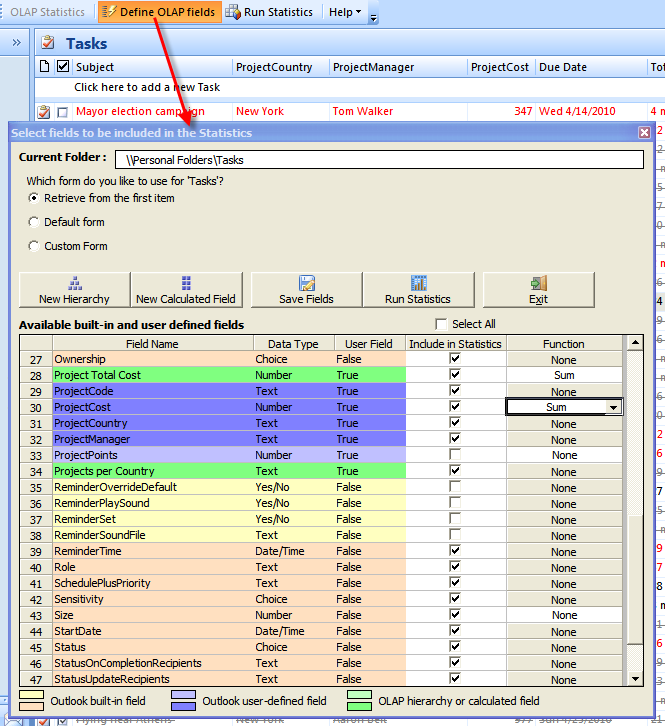
OLAP Statistics for Microsoft Outlook enables you to select both Outlook and user-defined custom fields of interest, and then explore them in a multi-dimensional view with the capability of complex calculations, trend analysis and sophisticated data modeling, all from inside your Outlook. The OLAP Grid view provides a multi-dimensional table with expandable nodes. Unique features of control allows for building the OLAP-reports of the exceptional level of complexity. Whereas OLAP Chart view allows representing the data graphically. This gives you a unique opportunity to analyze your business data visually, dealing with charts rather than numbers, which is much easier to perceive.
You can run analysis tool on individual Outlook or public folder, with its own unique set of desired built-in and user-defined fields. You can specify any numeric or currency field as the OLAP measure using computational function such as sum, count, distinct count, maximum, minimum etc, and use this against other fields to generate metrics.
Once a particular snapshot of the statistics is achieved, you can save it as a report view, for future reference or share it among your team members. A report view is the current state of the statistics in the Grid/Chart working area, with specific member fields on the pivot panels (Rows and Column areas) and measure fields in the values area. You can print your report, export it to share with your team in a wide range of formats including PDF, PNG, XLS, CSV, JPG, HTM etc. Support to offline cube for use in disconnected mode.
Video demonstrations and detailed documentation are available on the product home page for more references.
About OLAP Statistics for Outlook
This Office Suites & Tools program is available in English. It was last updated on 29 September, 2026. OLAP Statistics for Outlook is compatible with the following operating systems: Windows.
The company that develops OLAP Statistics for Outlook is AssistMyTeam. The latest version released by its developer is 4.0.
The download we have available for OLAP Statistics for Outlook has a file size of 8.4 MB. Just click the green Download button above to start the downloading process. The program is listed on our website since 2011-08-30 and was downloaded 0 times. We have already checked if the download link is safe, however for your own protection we recommend that you scan the downloaded software with your antivirus. Your antivirus may detect the OLAP Statistics for Outlook as malware if the download link is broken.
How to install OLAP Statistics for Outlook on your Windows device:
- Click on the Download button on our website. This will start the download from the website of the developer.
- Once the OLAP Statistics for Outlook is downloaded click on it to start the setup process (assuming you are on a desktop computer).
- When the installation is finished you should be able to see and run the program.
Program Details
System requirements
Download information
Pricing
Version History
version 4.0
posted on 2011-08-30
Disclaimer
External Download
We do not host OLAP Statistics for Outlook on our servers. We did not scan it for viruses, adware, spyware or other type of malware. This app is hosted by the software publisher and passed their terms and conditions to be listed there. We recommend caution when installing it.
The external download link for OLAP Statistics for Outlook is provided to you by apps112.com without any warranties, representations or guarantees of any kind, so access it at your own risk.
If you have questions regarding this particular app contact the publisher directly. For questions about the functionalities of apps112.com contact us.
